
What is a mesh network?
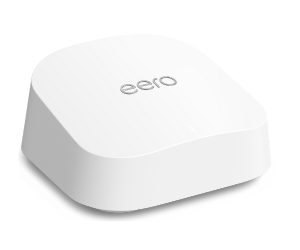
If you’ve been looking for a way to fix your patchy Wi-Fi connection or even get signal into new parts of your house, you’ve probably come across mesh products in your search – a newer type of technology designed to provide stronger, more reliable Wi‑Fi throughout your home.
But what exactly is a mesh network and how does this technology differ from older Wi-Fi extenders and repeaters? Let’s get into it.
What is a mesh network?
Mesh isn’t just another tech buzzword that repackages an older technology as something new. Mesh is a truly new and innovative approach to improving coverage – creating stronger areas of signal across your home. It takes its name from the way that it chains multiple routers together (or ‘nodes’) to create an intelligent grid of dense Wi-Fi signal.
The principle is simple. You wouldn’t use a single lightbulb (aka your router) to light up your entire home. Mesh is like using multiple lightbulbs connected by an intricate network of cables – so that each room gets the perfect amount of light (signal), wherever you are.
The benefits of mesh networks
Using a mesh network in your home can offer many benefits, including:
1. Better coverage where you need it
Using multiple mesh devices (nodes), mesh networks offer a more thorough signal coverage all over your home.
2. A flexible Wi-Fi setup that’s easy to add to
It’s really straightforward to expand your mesh network by adding extra nodes if you need to further improve coverage across your home. You can also change the position of nodes depending on your needs so that the signal can reach weak spots and remote areas.
3. Reliable and stable performance
Because the nodes in your mesh network work together to find the best signal path to your device, you’ll typically experience much less lag, fewer dropouts and faster loading times.
4. Seamless connectivity on the move
Once a mesh network is installed, you’ll no longer have to worry about staying in one spot to get the best signal. They’re designed to let you move freely around the home and not worry about losing connection as you go. Now you can enjoy streaming, gaming and entertaining wherever you are at home.
What’s the difference between Wi-Fi mesh and a Wi-Fi extender?
When you install a Wi-Fi extender, you’re connecting another router to your original router to extend your network in the direction you want. You then end up with 2 networks – your original router and the new ‘extended’ network.
This means you have to choose which one to manually connect your devices to, depending on which one offers the best signal. What’s more, some broadband speed is often lost as you extend signal from your original router to the extender and then to your devices.
Whereas mesh networks operate as a single seamless network. There’s no central source of signal, but many, all working together to give better coverage across your home.
Which homes are mesh networks best for?

Not every home needs mesh. But if you’re constantly losing signal, or you have parts of your home that can’t get coverage no matter what, then the type of house you’re in might be a contributing factor:
Large homes
Large homes, particularly those upwards of 4 bedrooms, typically need that extra boost to get solid Wi-Fi signal everywhere. If your house exceeds 2500-3000 sq. ft, or has a unique layout spread across many floors, then mesh could be the key to improving performance.
Homes with heritage features
Thick, stone walls along with the materials commonly found in period or listed properties such as concrete, steel and large bricks can block signal and create Wi-Fi dead spots. Mesh networks can help overcome these structural challenges by intelligently routing the signal around obstacles, providing more consistent coverage throughout your home.
Busy or high-tech households
In busy households with lots of users and smart devices, network demand can quickly build up. Mesh networks help balance that demand, optimising performance so everything stays running smoothly when you need it.
Unique properties and large outdoor spaces
Homes with less traditional layouts, such as those with lofts, outbuildings, workshops or multiple garages, can be harder to cover with a single router. Mesh systems help extend reliable Wi‑Fi coverage across your entire property, both indoors and out. That way, you stay connected wherever you need it.
Will a mesh network make my internet faster?
Mesh won’t make your broadband any faster than the package you’ve already bought. But installing a mesh system will improve performance in the areas that were alreadysuffering. This way, you can enjoy the full speed of your broadband package far more evenly throughout your home.

How do I get a mesh network?
Here at LightSpeed, we’ve teamed up with eero to offer mesh as an add-on to all our broadband packages. eero’s market-leading mesh products use their pioneering TrueMesh technology. They’re thoughtfully designed, quick and easy to set up, and they significantly boost coverage across our customers’ homes, even in some of the most challenging or hard-to-reach spots.
Once you’re all set up, the eero app gives you complete control over your Wi-Fi. You can make sure everything’s running smoothly with its helpful features to manage your devices, track data usage, check who’s connected and set schedules for certain devices, and run test speeds. The system also automatically updates itself and has added security features to keep your network safe.
How do I add mesh to my package?
Our mesh add-ons start at just £6.99 a month. It’s an easy and affordable way to boost your Wi-Fi coverage and enjoy a stronger, more reliable connection throughout your home. If you’d like to add mesh Wi-Fi to your broadband, just give our team a call on 01775 830830 or log into your account to manage your add-ons.
No more buffering. No more lag. Just pure, uninterrupted speed.
Switch to LightSpeed full fibre broadband today